

Admin UI & React embeds
A prebuilt React SPA ships in the package (dist/ui) and is served by the panel handler under its
basePath: every framework adapter gives you the dashboard with one mount line, no build step on
your side (ADR 0003). The same bundle renders two chromes: the full
admin dashboard, and the reduced analytics widget for viewer tokens (Widget).
@xtandard/links/react exposes both as React components for hosts that render inside their own
React tree.
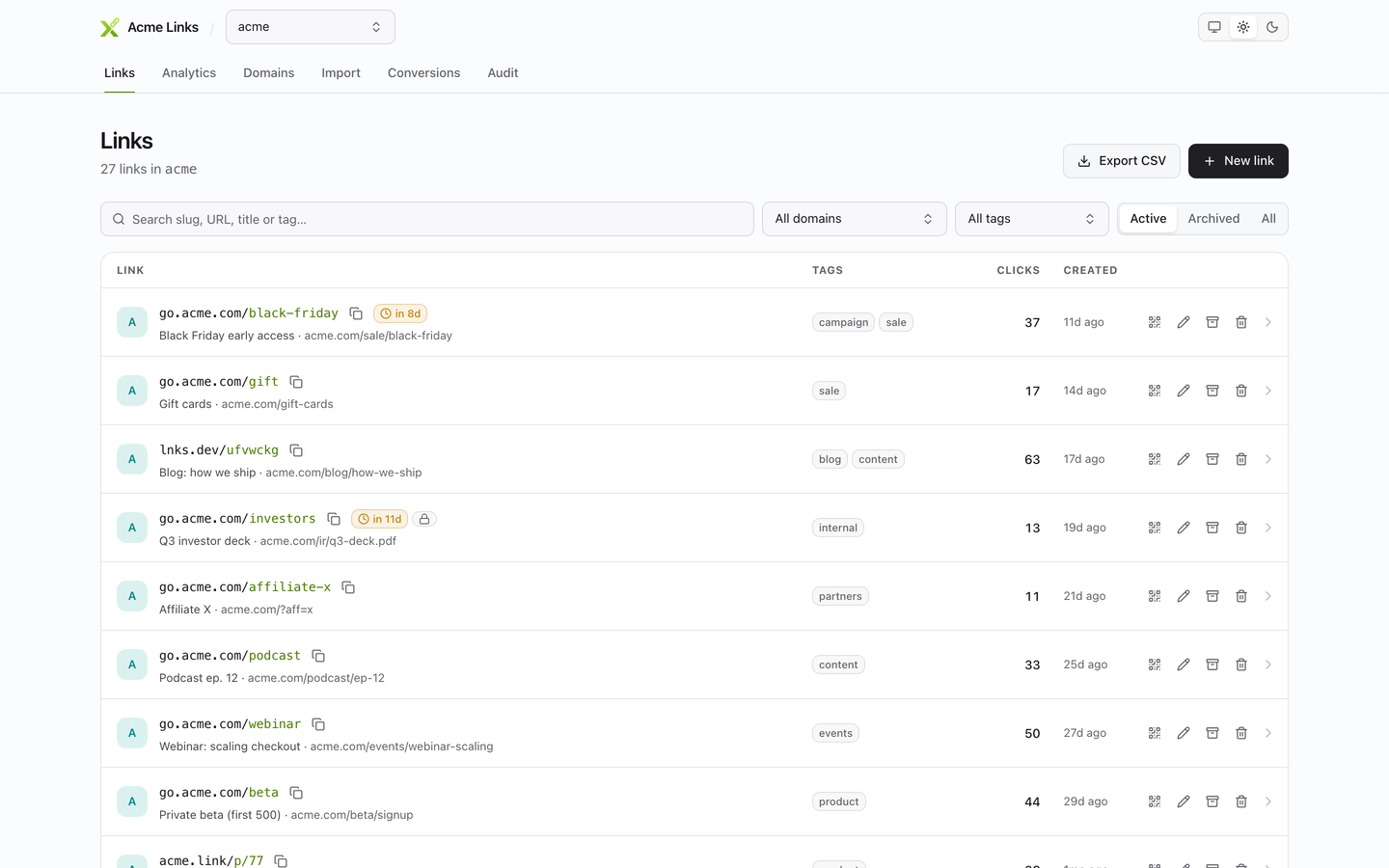
The bundled dashboard
Section titled “The bundled dashboard”const panel = linksPanel({ storage, basePath: "/links", title: "Acme Links", // navbar wordmark and page title logoUrl: "/logo.svg", // replaces the symbol + wordmark readonly: false, // true hides and blocks every mutation});Open {basePath}/. The page receives its static configuration as window.__LINKS_CONFIG__ plus a
<base href>, so it works under any prefix; everything else comes from GET {basePath}/config
(the signed-in principal, viewer mode, the analytics sink’s capabilities) and the JSON API
(HTTP API). Auth is whatever the panel’s auth provider does: Basic auth prompts in
the browser, delegated auth uses your session cookie (Auth). Actions the principal is
not authorized for are hidden, and so is every mutation in readonly mode.
The navbar holds the tenant switcher (the tenant is kept in the URL as ?tenant=, so views are
linkable) and a system / light / dark theme switcher. The views:
| View | What it does |
|---|---|
| Links | Search (slug, URL, title, tags), domain and tag filters, active / archived / all; per row: copy, expiry and password badges, tags, clicks, QR, edit, archive, delete. CSV export. |
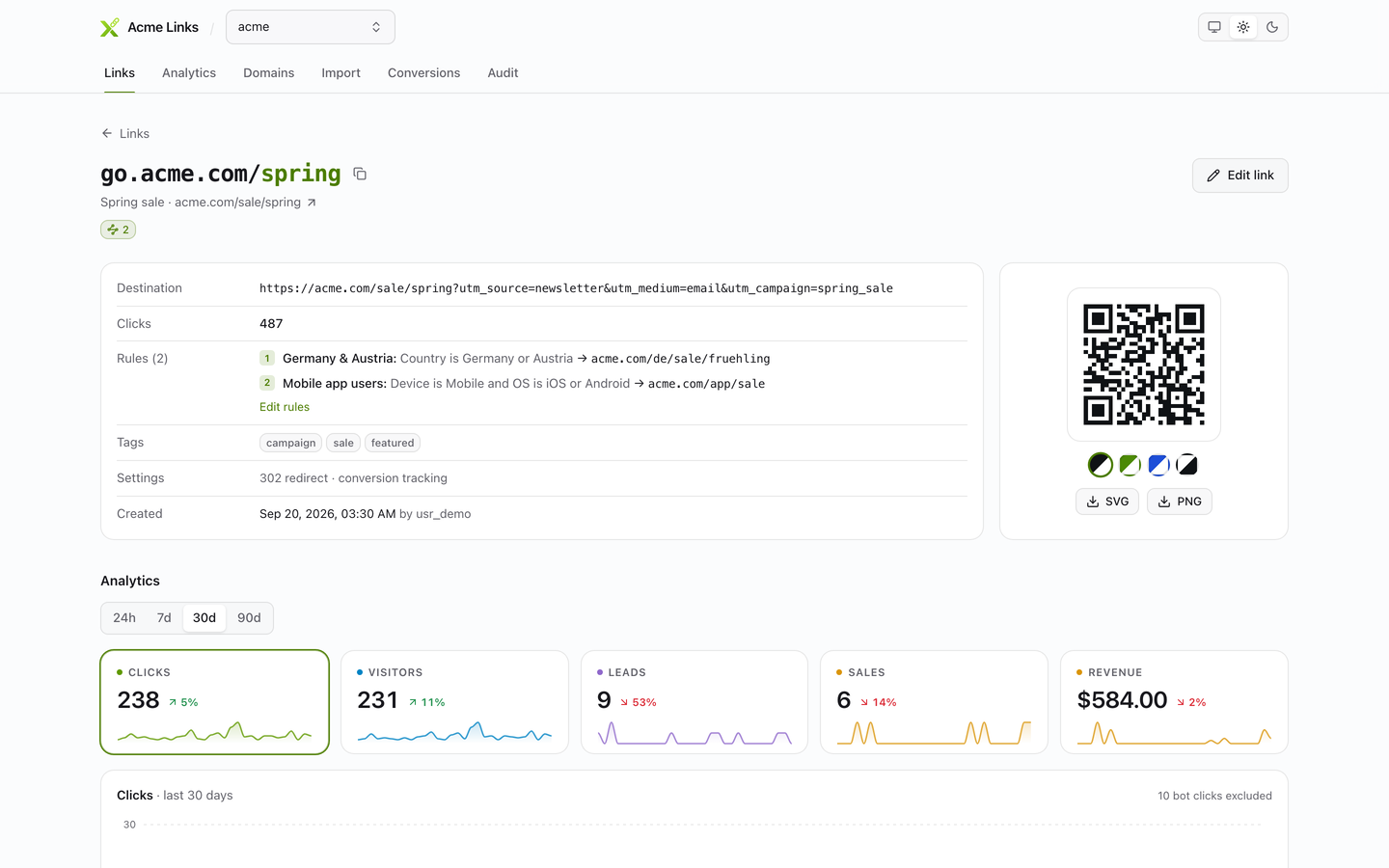
| Link detail | Destination with UTM applied, clicks, a plain-language summary of the rules, tags, settings; the QR code (colour presets, SVG / PNG download); the link’s analytics. |
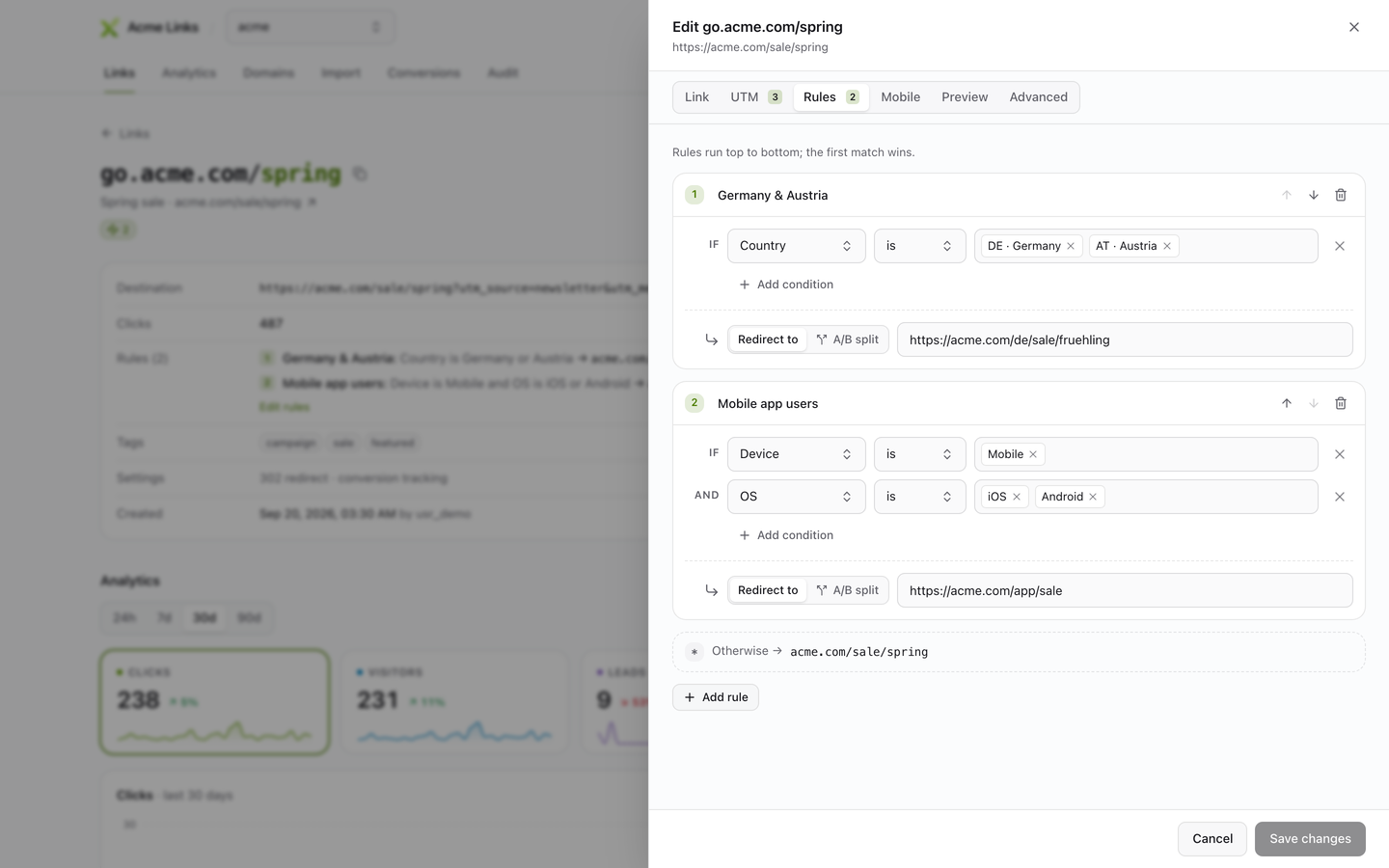
| Link editor | A side sheet with tabs: Link (URL, domain, slug, title, tags), UTM, Rules, Mobile (iOS / Android destinations, deep link), Preview (Open Graph), Advanced (redirect status, expiry, click limit, password, conversion tracking, query pass-through, indexing). |
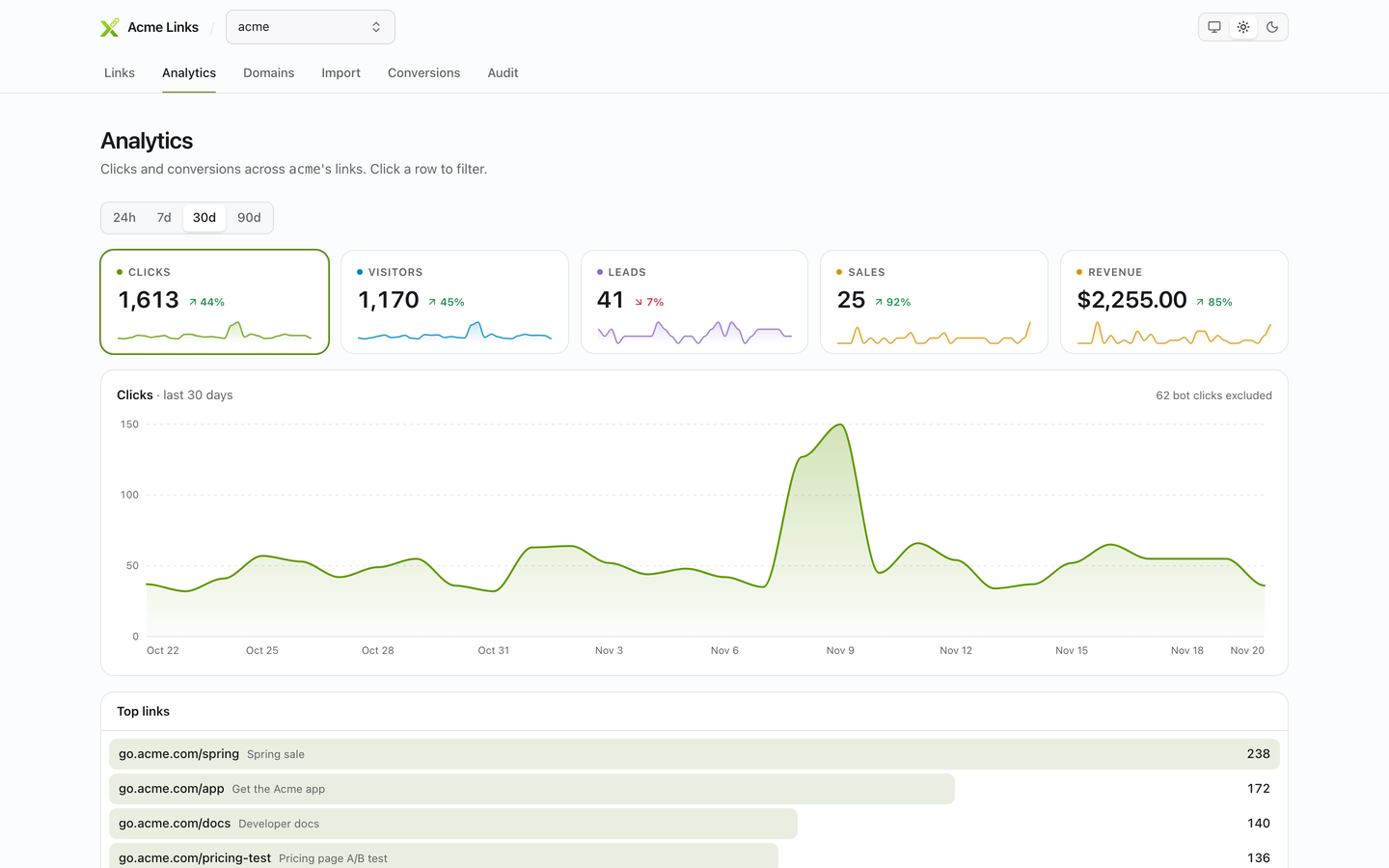
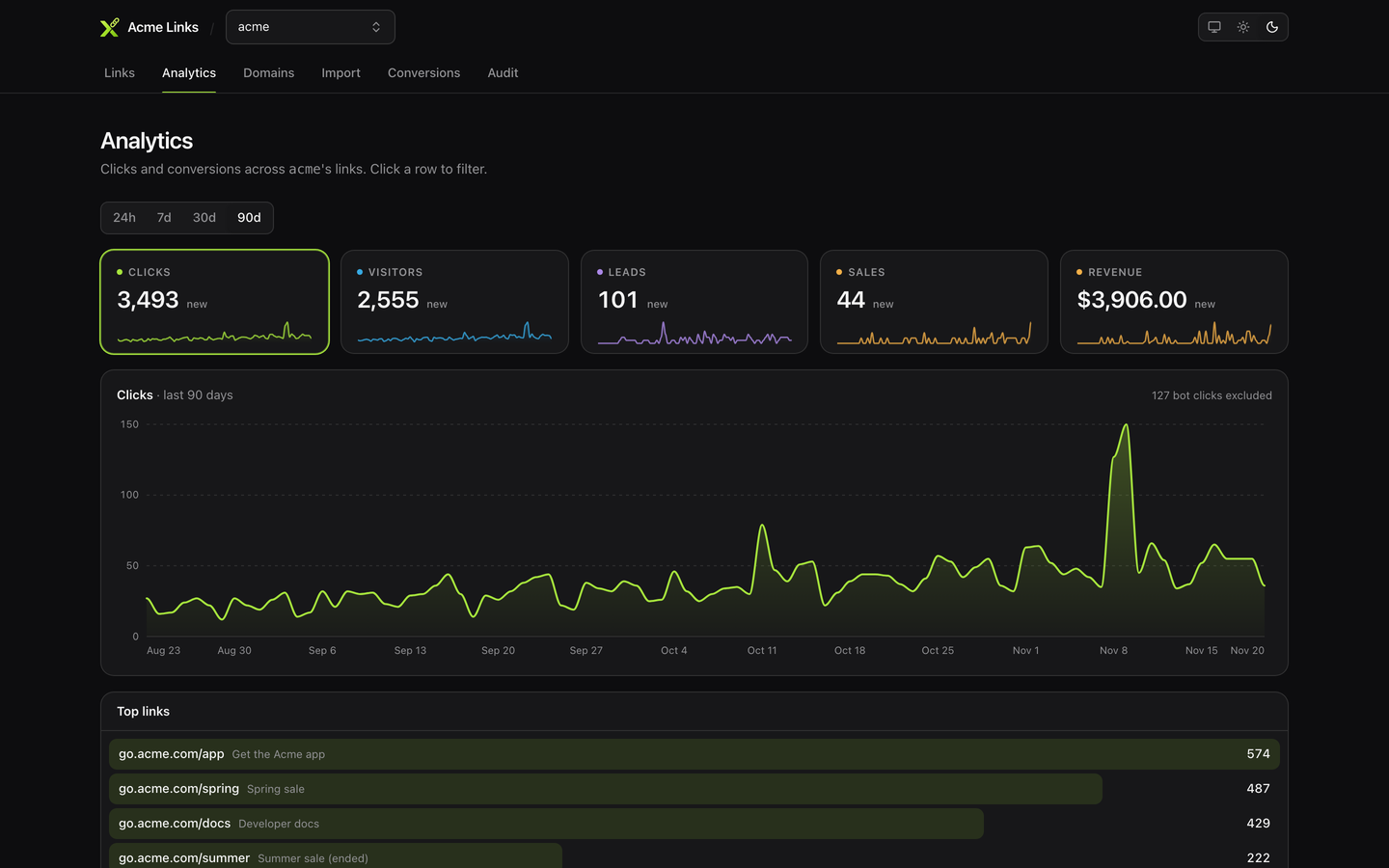
| Analytics | Range (24h, 7d, 30d, 90d), KPI tiles that double as the chart’s metric picker, the timeseries, breakdowns (top links, countries, devices, referrers, …) that filter on click. |
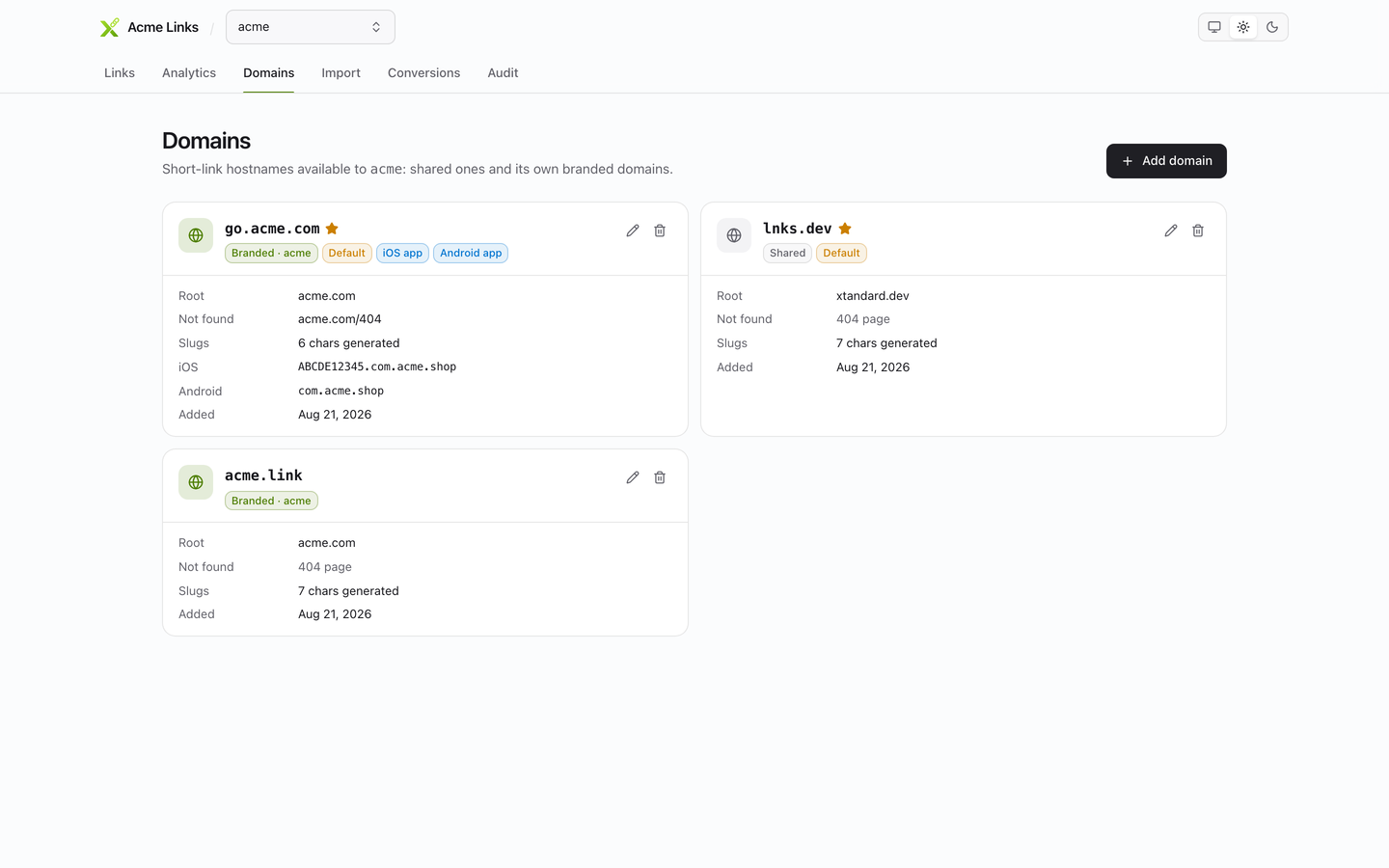
| Domains | Shared and branded domains with their defaults, root / not-found redirects, generated slug length and iOS / Android app associations. |
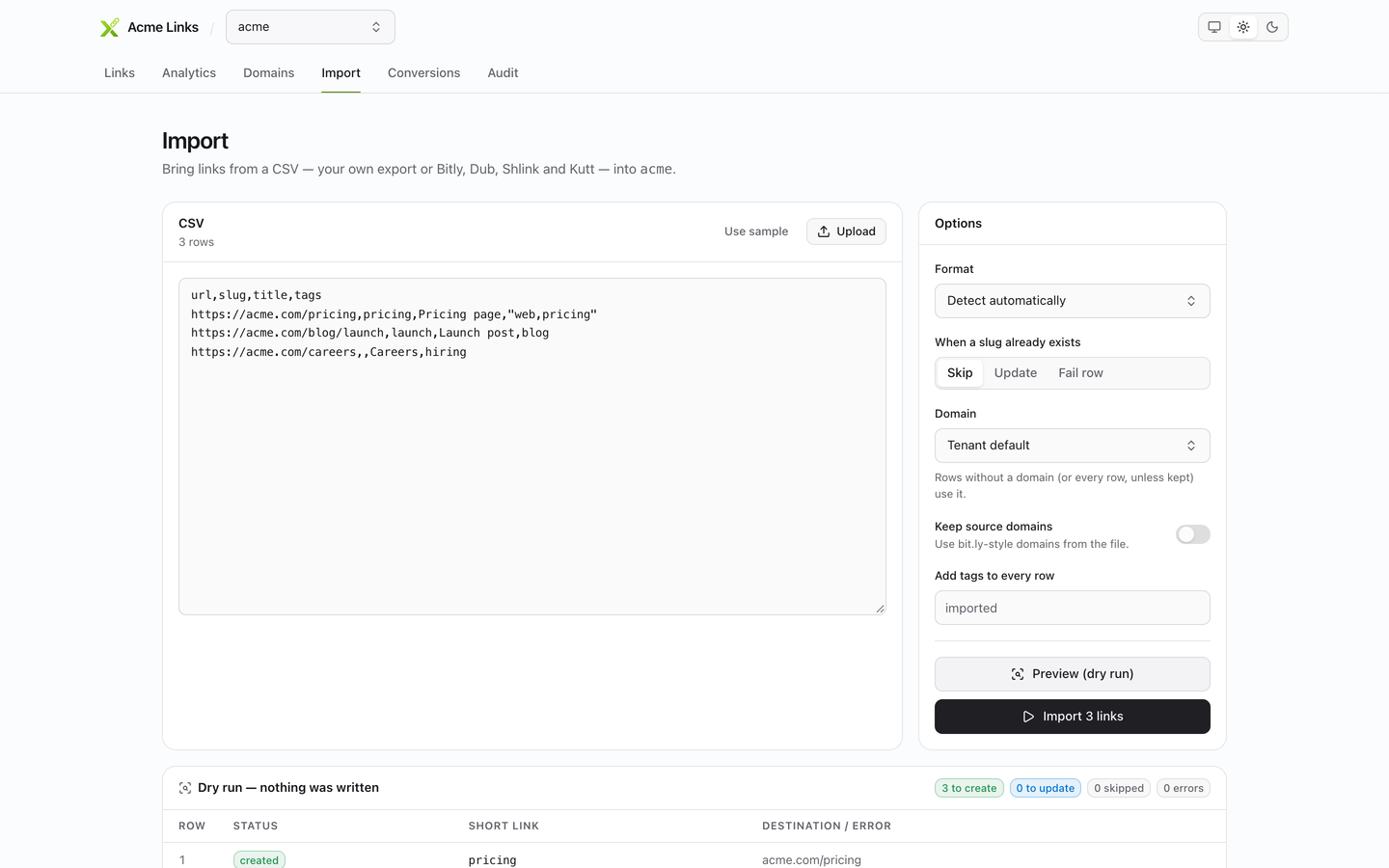
| Import | Paste or upload a CSV (native, Bitly, Dub, Shlink, Kutt; detected automatically), choose the conflict policy, domain and extra tags, preview with a dry run, then import. |
| Conversions | Customers bound to clicks by trackLead, with their link and first-seen time. |
| Audit | The operator audit log: who created, changed or deleted what. |
| Link detail | Link editor: rules |
|---|---|
 |
 |
| Analytics | Analytics, dark |
 |
 |
| Domains | Import (dry run) |
 |
 |
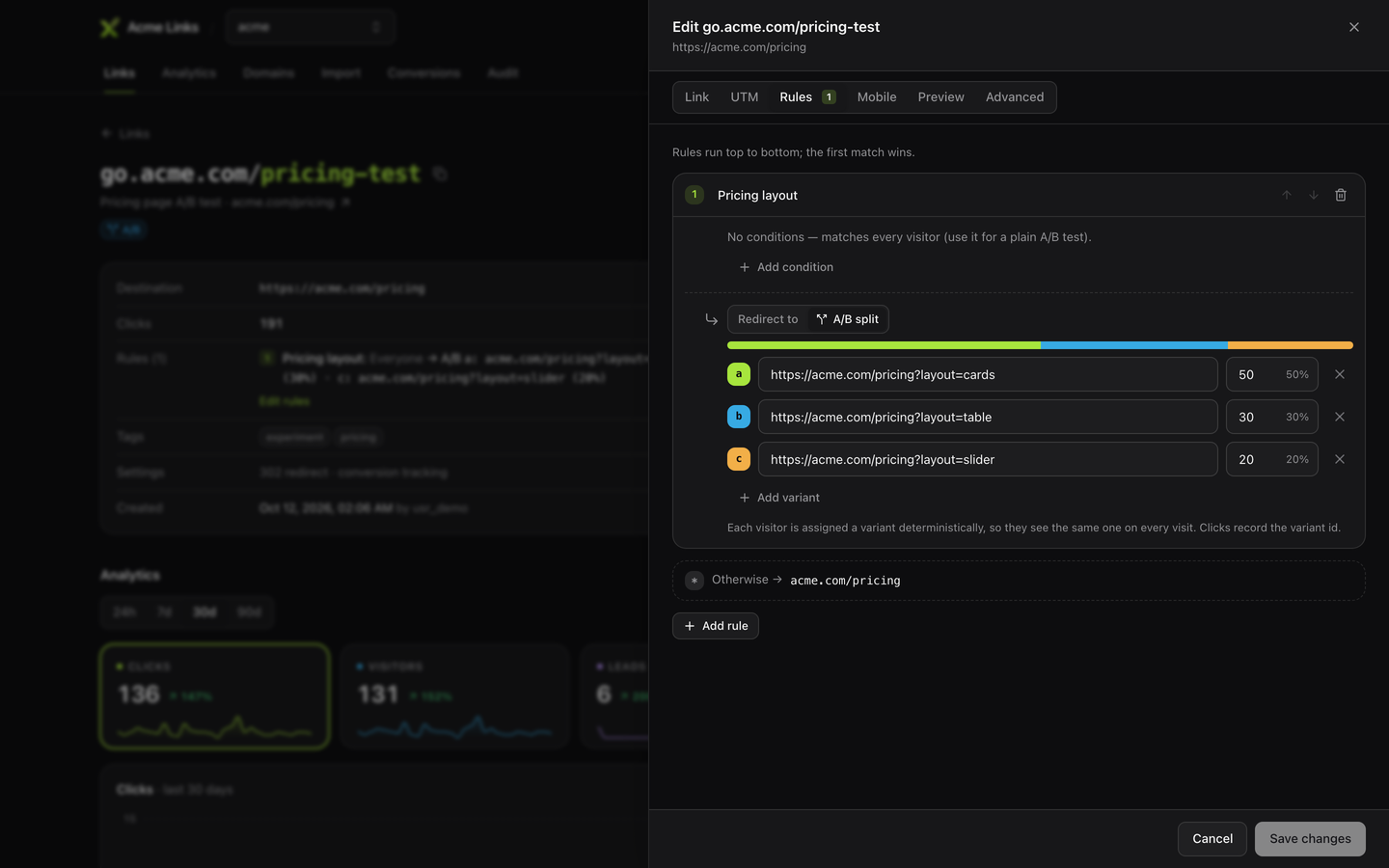
The rules editor mirrors the engine (Rules): rules run top to bottom and the first match wins; each rule ANDs its conditions and either redirects or splits traffic across weighted A/B variants; “Otherwise” shows the fallback URL.
How the analytics adapt to the sink
Section titled “How the analytics adapt to the sink”The analytics views read the sink’s capabilities from /config (Analytics):
uniques: the Visitors tile appears only when the sink counts unique visitors (memory, ClickHouse, Tinybird; not the default KV rollups or Analytics Engine).crossFilter: without it (KV rollups), picking a value on a second dimension replaces the current filter instead of combining with it, and breakdowns the sink cannot answer under the current filter are not requested.events: the recent-activity feed on the Analytics and link-detail views appears only when the sink keeps raw events.intervals: 24h is hourly, 7d hourly or daily, 30d and 90d daily, limited to what the sink supports.
Bot clicks are always excluded from the numbers; the chart notes how many were filtered out.
React embeds
Section titled “React embeds”import { LinksDashboard, LinkAnalytics } from "@xtandard/links/react";import "@xtandard/links/react/styles.css";
// The full admin, inside your own React app:<LinksDashboard apiBaseUrl="/links" theme="inherit" />;
// A customer's analytics, with a viewer token minted server-side:<LinkAnalytics apiBaseUrl="/links" token={viewerToken} />;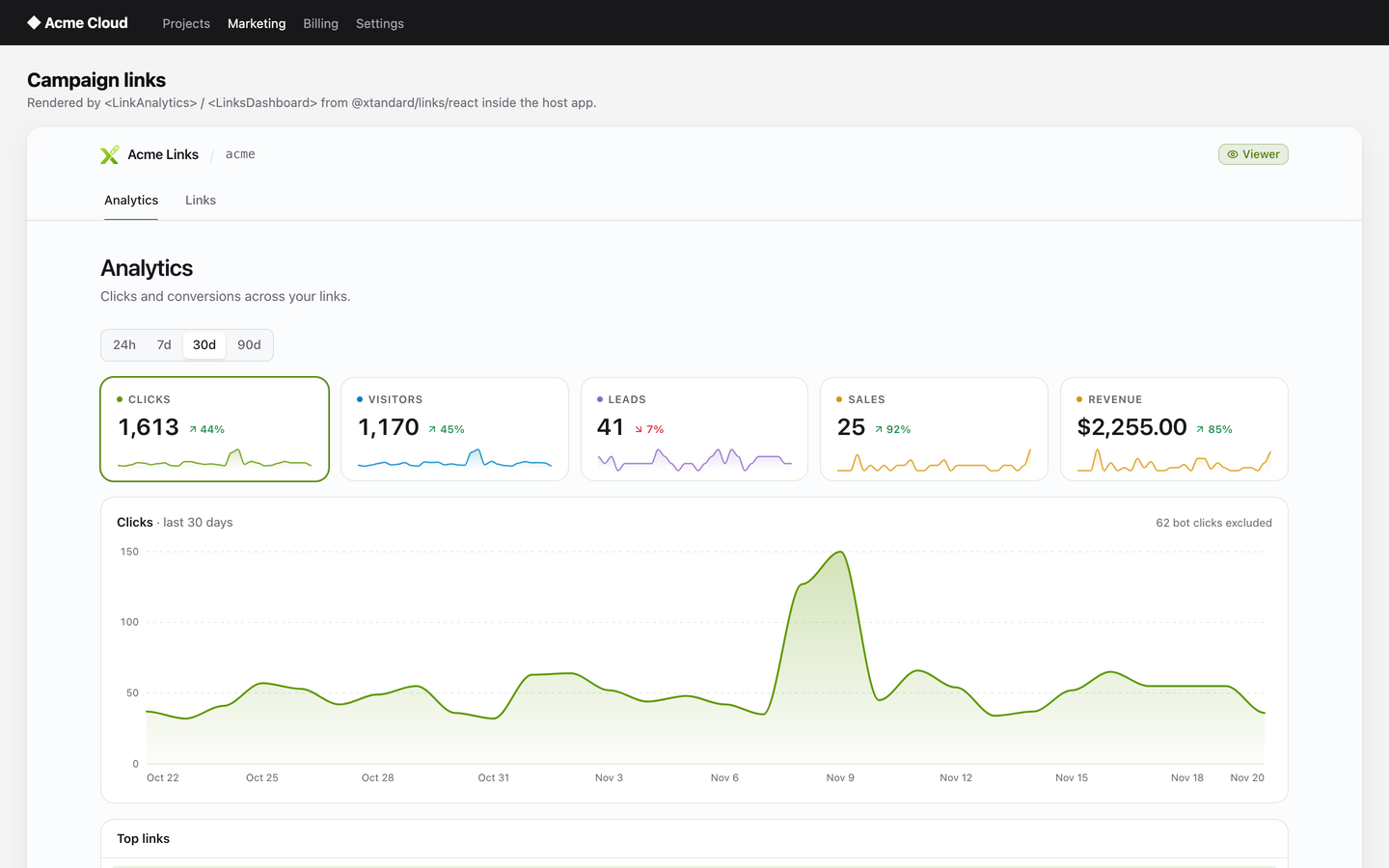
react and react-dom (18 or 19) are optional peers needed only for this subpath; TanStack Query
and the styles are bundled. Styles are scoped under .xtandard-links, so they do not leak into
your page, and the embed never writes to your document (it applies its theme to its own wrapper).
<LinksDashboard> props
Section titled “<LinksDashboard> props”| Prop | Default | Notes |
|---|---|---|
apiBaseUrl |
"" |
where the panel is mounted ("/links", or "https://admin.example.com/links") |
credentials |
"same-origin" |
"include" for a cross-origin panel with cookie auth (enable cors on the panel) |
fetch |
global fetch |
inject a bearer token or headers, or instrument calls |
queryClient |
created | bring your own TanStack QueryClient |
theme |
"auto" |
"auto" (own switcher, remembered), "inherit" (follow the host’s dark/light class or data-theme), "light", "dark" |
routing |
"hash" |
"hash" (never touches your router), "browser" (clean paths; serve the panel’s index.html as a catch-all under routerBase), "memory", or a wouter location hook |
routerBase |
— | with routing: "browser", e.g. "/admin/links" |
logoUrl |
from /config |
navbar logo |
initialTenant |
first tenant | pre-select a tenant (a ?tenant= in the URL still wins) |
className |
— | on the root wrapper |
<LinkAnalytics> takes the same props except initialTenant, plus the required token
(Widget). A runnable host app with both components is in
examples/react-embed.
Cross-origin embeds
Section titled “Cross-origin embeds”When the panel runs on another origin than the page embedding it, enable CORS on the panel and, for cookie auth, send credentials:
linksPanel({ storage, basePath: "/links", cors: { origin: "https://app.acme.com", credentials: true },});<LinksDashboard apiBaseUrl="https://admin.acme.com/links" credentials="include" />Viewer tokens are bearer credentials and need no cookies. cors also takes methods, headers
and maxAge; origin may be a list or a predicate. See Adapters.
Branding
Section titled “Branding”The navbar shows the xtandard-links symbol next to title unless logoUrl is set (then the logo
replaces both); the favicon set lives in the bundle (Brand). The UI keeps the xtandard
family’s neutral palette with a lime accent, in light and dark.
Development
Section titled “Development”bun run build:ui && bun run demo # seeded in-memory panel + redirects on http://localhost:7790/linksbun run build:ui # → dist/ui (served by the panel)bun run build:react # → dist/react.js + scoped dist/react.cssbun run dev:ui # Vite dev server for the SPA source (src/ui)bun run test:e2e # Playwright against the built UI and the React embedbun run demo serves the panel and the redirect handler over realistic, deterministic seed data
(three tenants, shared and branded domains, ~40 links with rules, A/B splits and expiry, ~5 000
clicks over 90 days with leads and sales); it is also what the screenshots are taken from. Short
links resolve by hostname, so try them with a host override:
curl -i -H "X-Forwarded-Host: go.acme.com" http://localhost:7790/spring. UI logic lives in pure
functions under src/ui/lib/ with unit tests; everything visual is covered by Playwright
(Testing).